
Google Now on your Android device
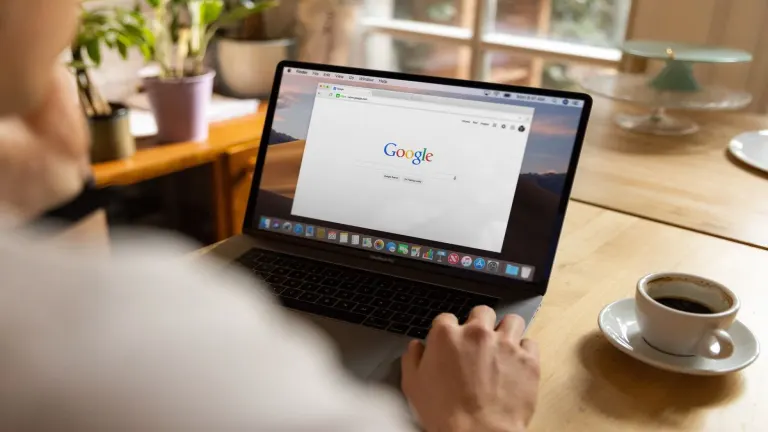
Google Search offers a quick way to search for things on Google, as well as allowing you to find contacts, applications and files on your device. The latest version includes Google Now, a tool that aims to bring you the right information at the right time.
How does Google Search work?
Simply load up the Google Search application and start typing in the search box. Google will auto-suggest things that you might be looking for as you type, displaying a list of possible keywords. Click on the arrow next to a keyword and Google Search will suggest more specific keywords related to that concept.
Rather frustratingly, there's no search button built into Google Search, and once you've clicked on a keyword you'll just be taken to a Google search results page in your web browser. It would have been nice if listings were displayed in-app.
Search your Android phone
Aside for looking for things on the web, Google Search offers a handy way to find things on your device. This includes apps, contacts, messages, settings, calendar, music, and even Twitter tweets. You can choose what you are able to search on your phone by going to the Searchable items section of the Google Search menu.
Google Search's user interface is clear and simple to use. The application includes voice search capabilities, and allows you to quickly remove items from your search history just by long-pressing them.
Google Now
Google Search includes Google Now functionality. This is a tool designed not only to give you the information you're looking for, but to present it to you at the right time. This information is displayed in what Google calls Cards. These cards display results that are useful to you, for example, train times and traffic conditions depending on where and when you are commuting. Google Now gets better with time, as it learns your movements and interests, and, of course, the more info it has about you, the better it can get.
Limitations of Google Search
One improvement that could be made to Google Search is the ability to customize the order in which different types of search results are listed. Web results always show at the top, meaning that while the keyboard is open, you generally see only the top phone-based (i.e. non-web) search results.
This can be frustrating when you're looking for individual contacts, for example, because you have to keep hiding the keyboard to see more possible matches for the name you're searching.
Google Now, while an awesome idea, needs plenty of time before you'll see if it's actually of use to you. Having info looking for you, rather than vice versa, is pretty impressive, but while we were using it, it offered little more than a weather forecast. We hope to see it improve over time.
Google Search offers a quick way to find things on the web or on your phone. That said, its web functionality is limited since it just redirects to Google results in your web browser.
- Reminders (e.g. say "remind me to buy milk this evening", "remind me to take out the trash when I get home")- Upcoming books, music albums, tv shows and video games you may like- Real time public transit updates (select cities)- If your hotel confirmation is in your Gmail, you can now ask Google for things to do, eat or see to do nearby without having to look up where you’re staying. Tap the mic on the Google app and say “Show me restaurants around my hotel” or “Give me directions to my hotel from here.”
Changes
- Reminders (e.g. say "remind me to buy milk this evening", "remind me to take out the trash when I get home")- Upcoming books, music albums, tv shows and video games you may like- Real time public transit updates (select cities)- If your hotel confirmation is in your Gmail, you can now ask Google for things to do, eat or see to do nearby without having to look up where you’re staying. Tap the mic on the Google app and say “Show me restaurants around my hotel” or “Give me directions to my hotel from here.”
























User reviews about Google
by Jake Snake
yee da twas a simple time reeeeeeeeeeeeeeeeeeeeeeeeeeeeeeeeeeeeeeeeeee